快速开始
打开 Sheaf 后,你可以新建一篇 Markdown,或者打开本地已有的 .md 文件。Sheaf 不会把文件迁移到专有数据库,也不会改变你的目录结构。
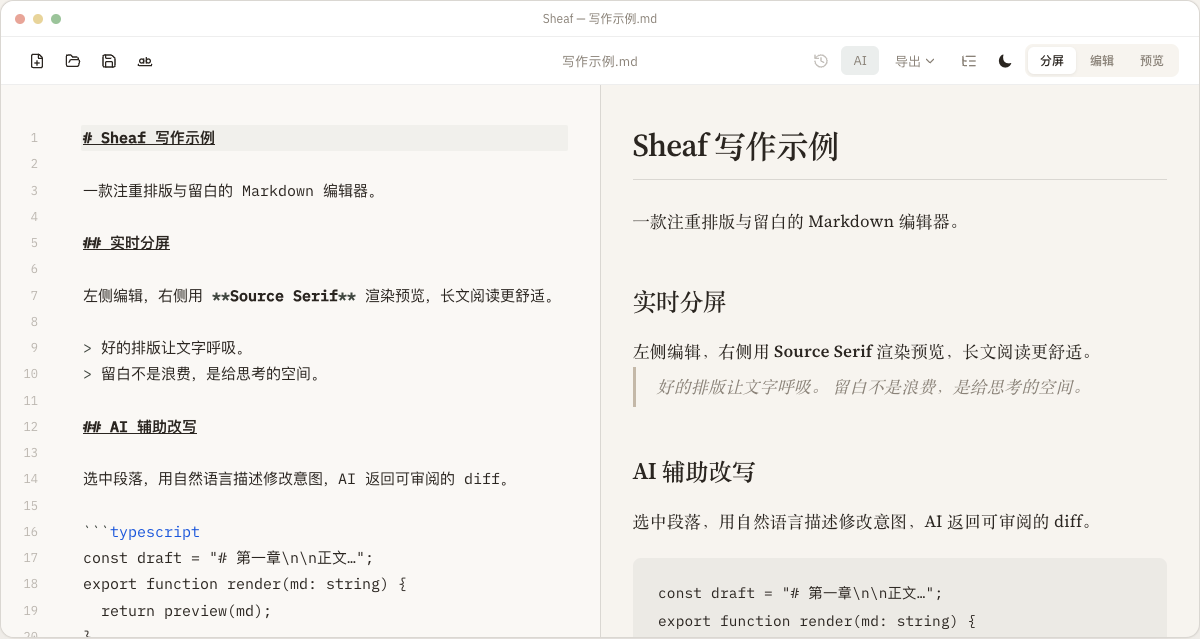
写作时左侧是 Markdown 编辑区,右侧是排版预览。你可以在编辑、预览和分屏模式之间切换,用适合当前任务的视图工作。
编辑与预览
- 支持 Markdown 常用语法,包括标题、列表、引用、代码块、链接和图片。
- 支持 KaTeX 数学公式、Mermaid 图表和代码高亮。
- 支持中英文间距格式化,让中文文章里的英文和数字更自然。
- 大纲面板可以按标题跳转,适合维护长文结构。
AI 改写如何工作
Sheaf 的 AI 功能适合做段落改写、语气调整、结构整理和错别字修正。你可以选中一段内容,用自然语言描述修改要求,例如“让这段更适合产品发布说明”或“压缩到 150 字以内”。
AI 返回结果后,Sheaf 会显示修改差异。你需要确认后才会应用到正文。这个流程适合严肃写作,因为你不会在没看清变化时丢掉原文。
导出
Sheaf 支持把 Markdown 输出到多种场景:PDF、富文本 HTML、公众号排版、小红书卡片和长图。对于需要发布到多个平台的作者,先在 Sheaf 里完成内容,再按平台导出,可以减少重复排版。
设置建议
如果你主要写中文文章,建议开启中英文间距;如果你经常使用 AI,建议先配置自己常用的模型供应商和 API Key;如果你会在文章中插入很多图片,建议配置图床或把图片保存在 Markdown 文件同目录下。
Quick start
Create a new Markdown document or open an existing .md file from disk. Sheaf does not move your writing into a proprietary database or change your folder structure.
The editor sits beside a rendered preview. You can switch between edit-only, preview-only, and split view depending on the task.
Editing and preview
- Common Markdown syntax: headings, lists, quotes, code blocks, links, and images.
- KaTeX math, Mermaid diagrams, and syntax-highlighted code blocks.
- CJK spacing for mixed Chinese, English, and numeric text.
- An outline panel for navigating long documents by heading.
How AI rewriting works
Select a paragraph and describe the edit you want, such as “make this more concise” or “turn this into release-note tone.” Sheaf shows the result as a diff before you apply it.
Export
Export to PDF, rich HTML for blogs and newsletters, social cards, and long images. Write once in Markdown, then publish to the format your platform needs.
Recommended settings
Enable CJK spacing for Chinese writing, configure your preferred AI provider if you use rewriting often, and set image hosting when your published articles need public image URLs.